Understanding Data Security: The Need for File-Level Encryption
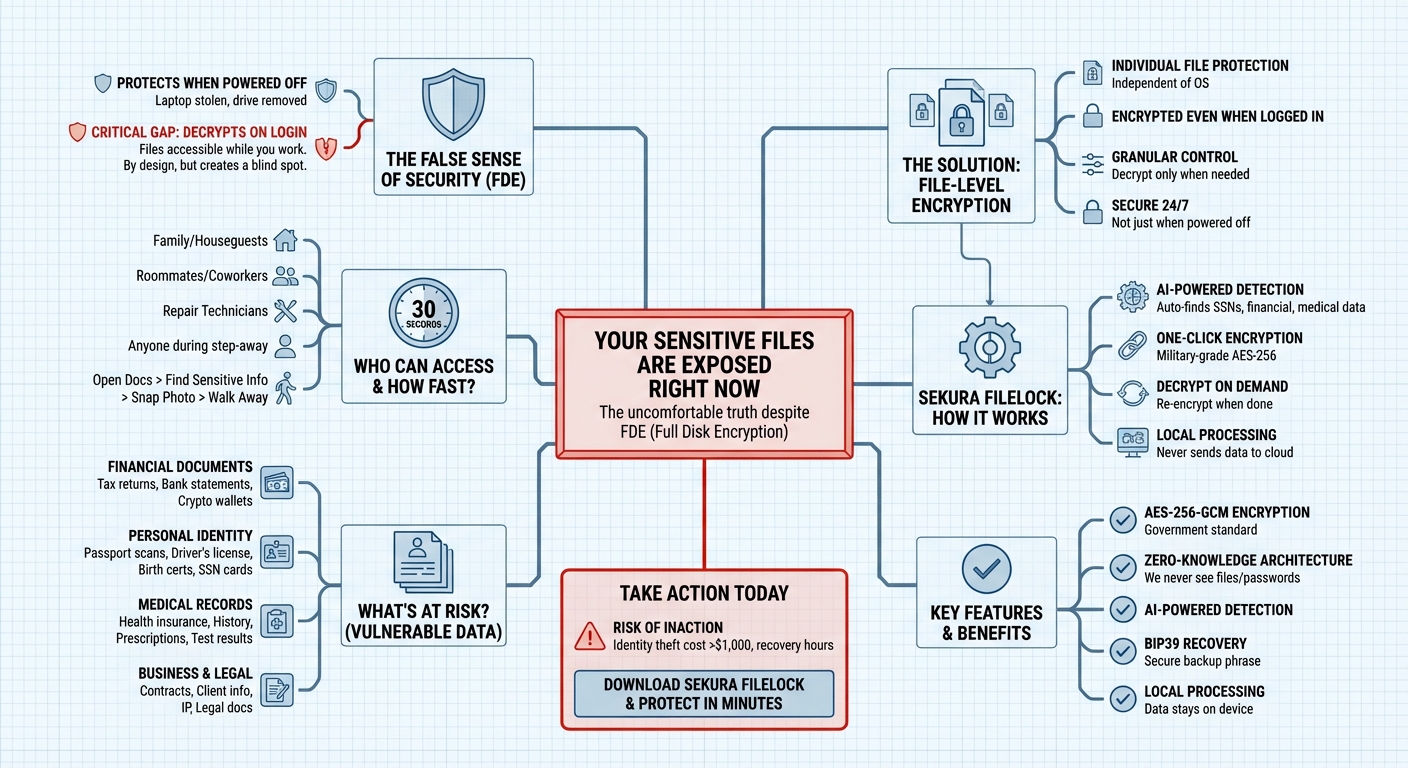
You've enabled FileVault on your Mac or BitLocker on Windows. You've taken a great first step. However, it's important to understand that your decrypted files can still be accessed while you work.
How Full Disk Encryption Works
Full disk encryption (FDE) is excellent technology. It protects your data when your laptop is stolen from a coffee shop, when your hard drive is removed, or when your computer is powered off. But there's a critical gap that is often overlooked:
Full disk encryption primarily protects against physical theft of a powered-off device.
The moment you log in and start working, your disk is decrypted. Every file on your computer becomes accessible. This is by design — you need to access your files to work. But it means that if your system is compromised while running, your files are vulnerable.
Understanding the Risks
Consider who might access your computer while it is running:
- Remote Threat Actors who access your machine via malware
- Cloud Service Providers scanning your data
- Unauthorized Physical Access if you step away
If unauthorized access occurs while your computer is unlocked:
- Documents folder can be opened
- Tax returns and sensitive info can be viewed
- Files can be copied
Common Sensitive Files
Many users have the following types of sensitive files on their hard drives:
Financial Documents
- Tax returns (SSN, income)
- Bank statements
- Investment accounts
- Cryptocurrency wallets
Personal Identity
- Passport scans
- Driver's license copies
- Birth certificates
- Social Security cards
Medical Records
- Health insurance info
- Medical history
- Prescription records
- Test results
Business & Legal
- Contracts
- Client information
- Intellectual property
- Legal documents
The Solution: File-Level Encryption
To protect your data while you work, you need file-level encryption — protecting individual sensitive files with their own encryption, independent of your operating system.
With file-level encryption:
- Your sensitive files remain encrypted even when you're logged in
- Encrypted files cannot be opened without the specific key
- You control exactly which files are protected and when to decrypt them
- Your sensitive data stays secure 24/7
How Sekura FileLock Helps
We built Sekura FileLock to provide a simple, secure way to:
- Automatically detect sensitive files on our computers
- Encrypt them with one click using modern cryptography that powers blockchains and AES-256
- Decrypt only when needed, then re-encrypt when done
- Keep data local — zero cloud transmission
Our local scanner identifies documents containing Social Security numbers, financial data, and other sensitive content. We ensure all processing happens on your device. You can encrypt everything with a single password, and your files remain protected whether your computer is on or off.
Key Features
- AES-256-GCM Encryption — The same standard used by governments
- Zero-Knowledge Architecture — We never see your files or passwords
- On-Device Smart Detection — Uses local technology; no cloud uploads
- BIP39 Recovery — Secure backup phrase for password recovery
- Local Processing — Your data never leaves your device
Enhance Your Security
Security is about layers. Adding file-level encryption significantly reduces the risk of data exposure.
Protect your important documents today. Download Sekura FileLock.